AI Agents
AI Agents are virtual managers that communicate with your customers 24/7, automating support, sales, and product recommendations.
What is an AI Agent?
An AI Agent is a virtual assistant that autonomously processes incoming messages and responds according to its designated role. You can configure:
- Sales assistant — helps customers find products
- Support manager — answers FAQs
- Logistics coordinator — handles delivery questions
- Custom agents — any functionality you need
Why Use AI Agents?
- ✅ Automate responses — Handle FAQs without human intervention
- ✅ 24/7 availability — Instant replies anytime, including holidays
- ✅ Increase sales — Automated upselling and cross-selling
- ✅ Boost conversions — Faster responses lead to more purchases
- ✅ Structured interactions — Each agent responds within its defined role
How It Looks to Customers
When customers message your bot, the AI agent responds naturally:
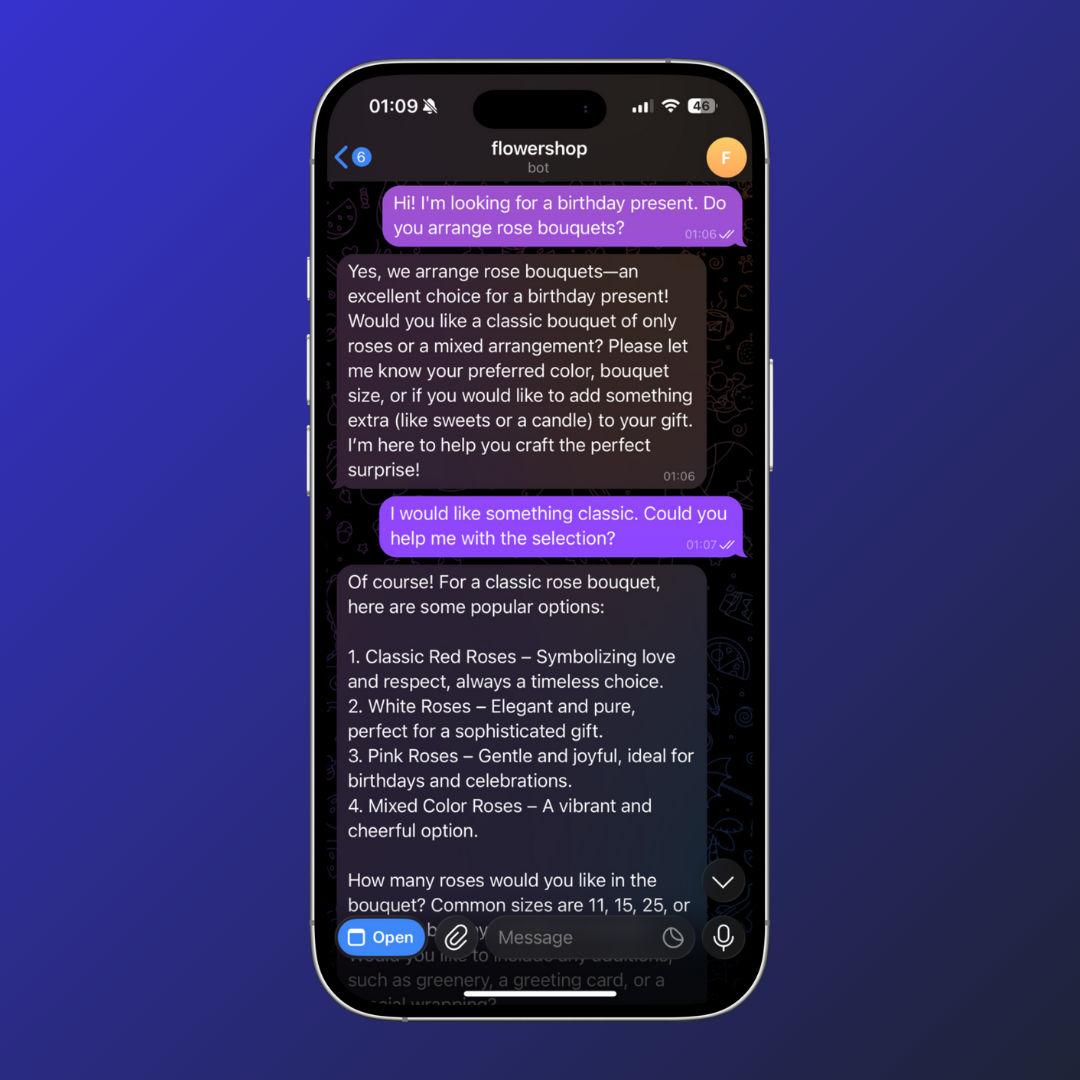
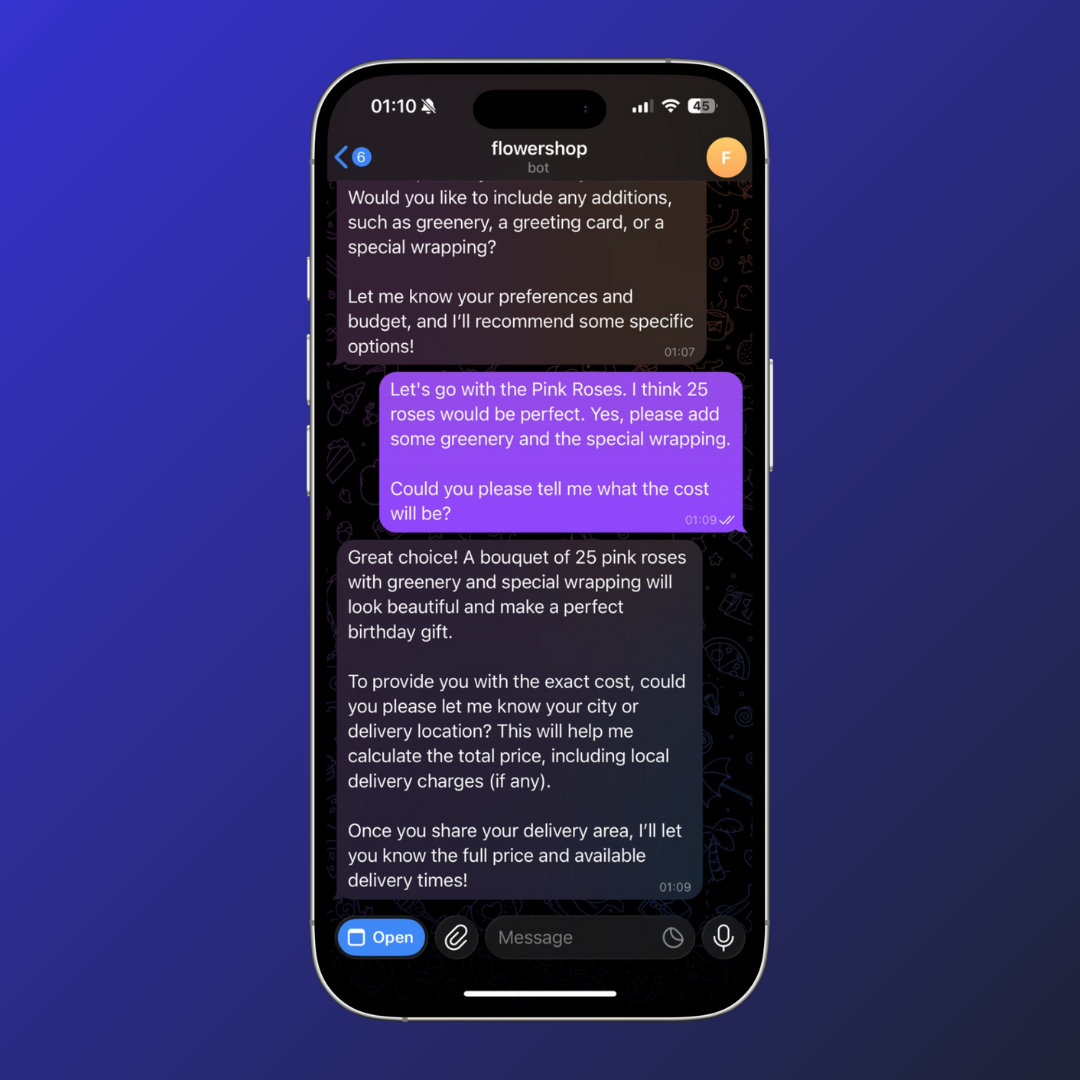
Customers get instant, helpful responses about products, availability, pricing, and more.
How to Enable AI Agents
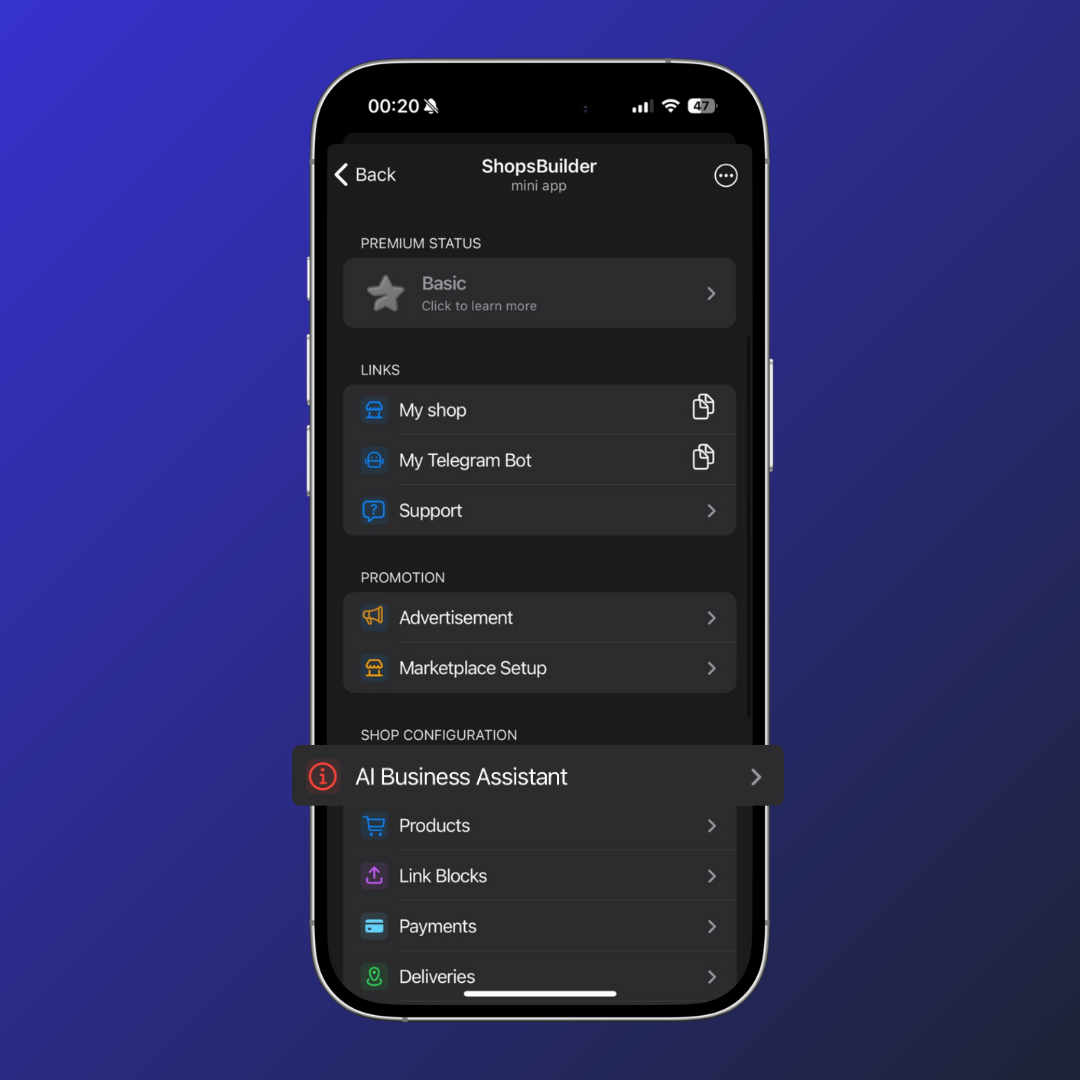
Step 1: Navigate to AI Assistant
Open your store settings and find the “AI Assistant for Business” section.
Step 2: Enable Direct Chat via Bot
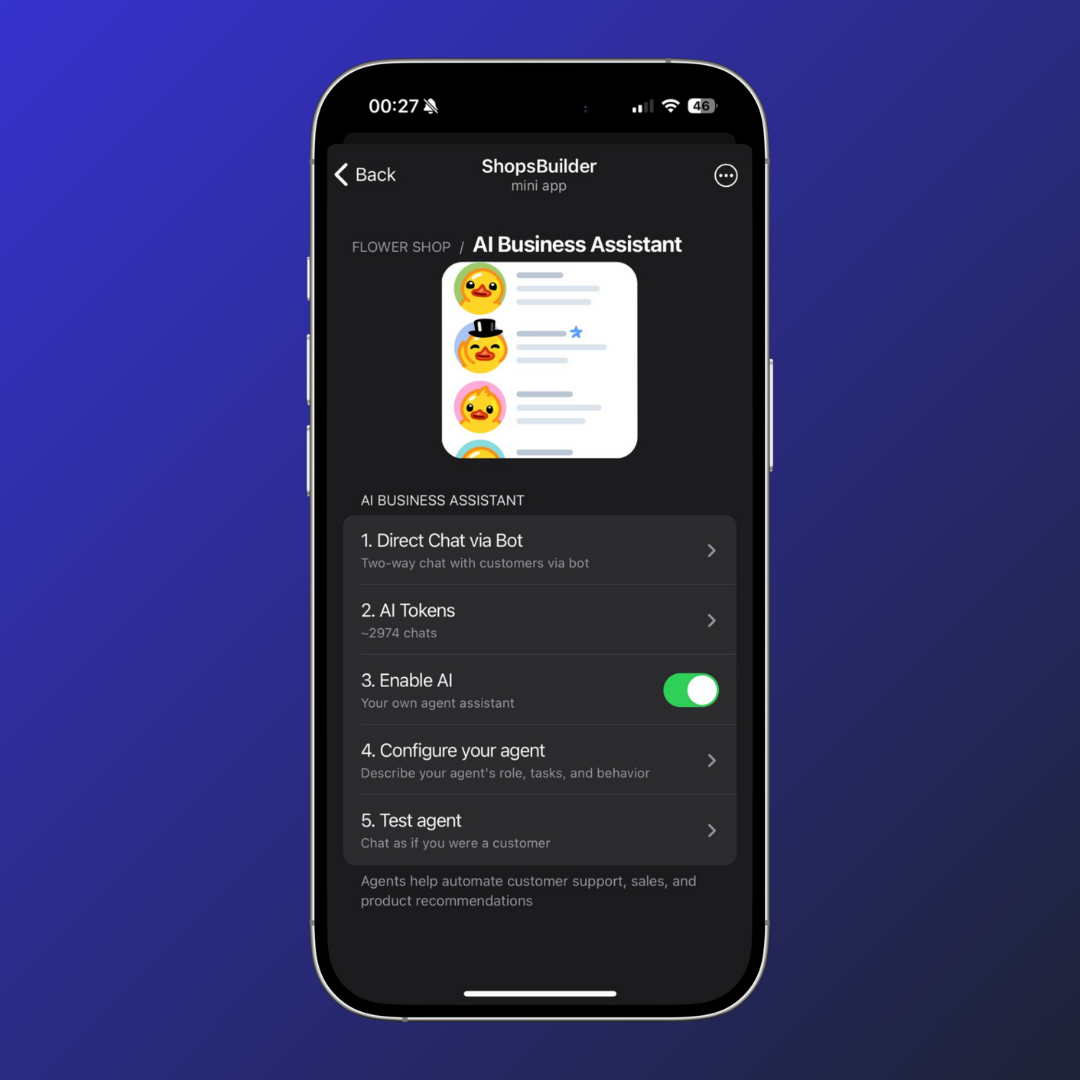
This allows customers to communicate with you via the bot. A separate chat is created for each user.
Requirements:
- Switch your order chat to Topics mode
- Grant the bot full administrator rights
See Customer Support for detailed chat setup instructions.
Step 3: Add Tokens and Activate
- Go to “AI Tokens” section
- Select a plan and top up your token balance
- Click “Enable AI”
💡 Premium stores get 20% discount on AI tokens!
Step 4: Configure Your Agents
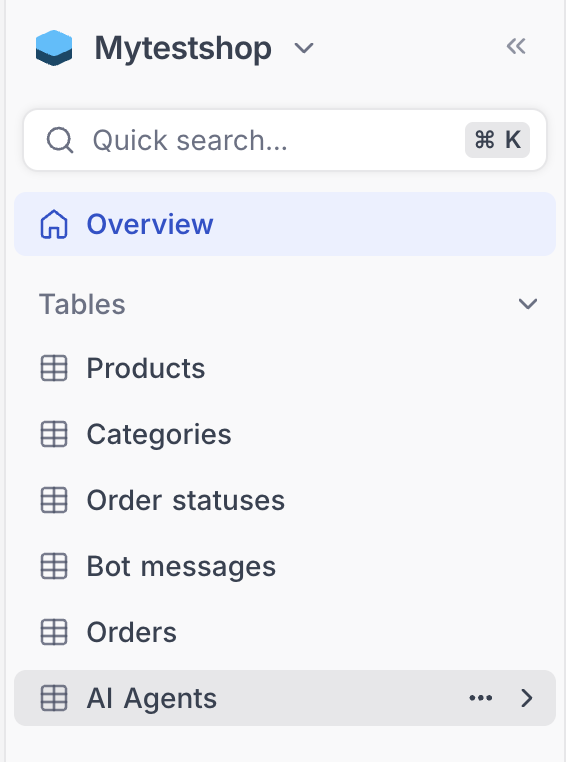
- Go to CRM → AI Agents
- Fill out the agents table (instructions below)
Understanding AI Agent Teams
AI Agents work like a virtual team within your store:
-
Coordinator (Triage Agent) — Always first in the list
- Receives all incoming customer messages
- Decides which agent should handle each query
-
Specialized Agents — Handle specific tasks
- Product search
- FAQ responses
- Order status
- Delivery questions
-
Handoff — If an agent can’t answer, it passes the request back to the coordinator
Configuring the AI Agents Table
Table Structure
| Column | Description |
|---|---|
| Name | Agent’s name in CRM (e.g., “Coordinator”, “Product Search”) |
| Agent Task | Brief role description (e.g., “coordinates all inquiries”) |
| Agent’s Instructions | Detailed behavior: how to communicate, what to clarify |
| Tools | Functions the agent can use |
Example Configuration
🧭 Coordinator Agent
| Field | Value |
|---|---|
| Name | Coordinator |
| Agent Task | Recognizes message topics and routes to correct agent |
| Instructions | You are the store coordinator. Understand what the customer is asking and pass the query to the appropriate agent. If no agent can help, provide a polite response and forward to support. |
| Tools | — (coordinator doesn’t use functions directly) |
🛍️ Product Search Agent
| Field | Value |
|---|---|
| Name | Product Search |
| Agent Task | Helps customers find products by name or description |
| Instructions | You help customers find products. Use Product Search function to get accurate info (name, price, availability). Don’t make up answers — always verify with the tool. If asked about non-product topics, pass back to coordinator. |
| Tools | Product Search |
Default Agents (No Configuration Required)
If you don’t fill out the table, 3 basic agents are available automatically:
| Agent | Function |
|---|---|
| Product Search | Checks product availability, size, color, price |
| Current Orders | Checks order status |
| Delivery Options | Answers delivery questions |
Improving AI Performance
Add Keywords to Products
To help AI agents find products better, add keywords in the CRM catalog:
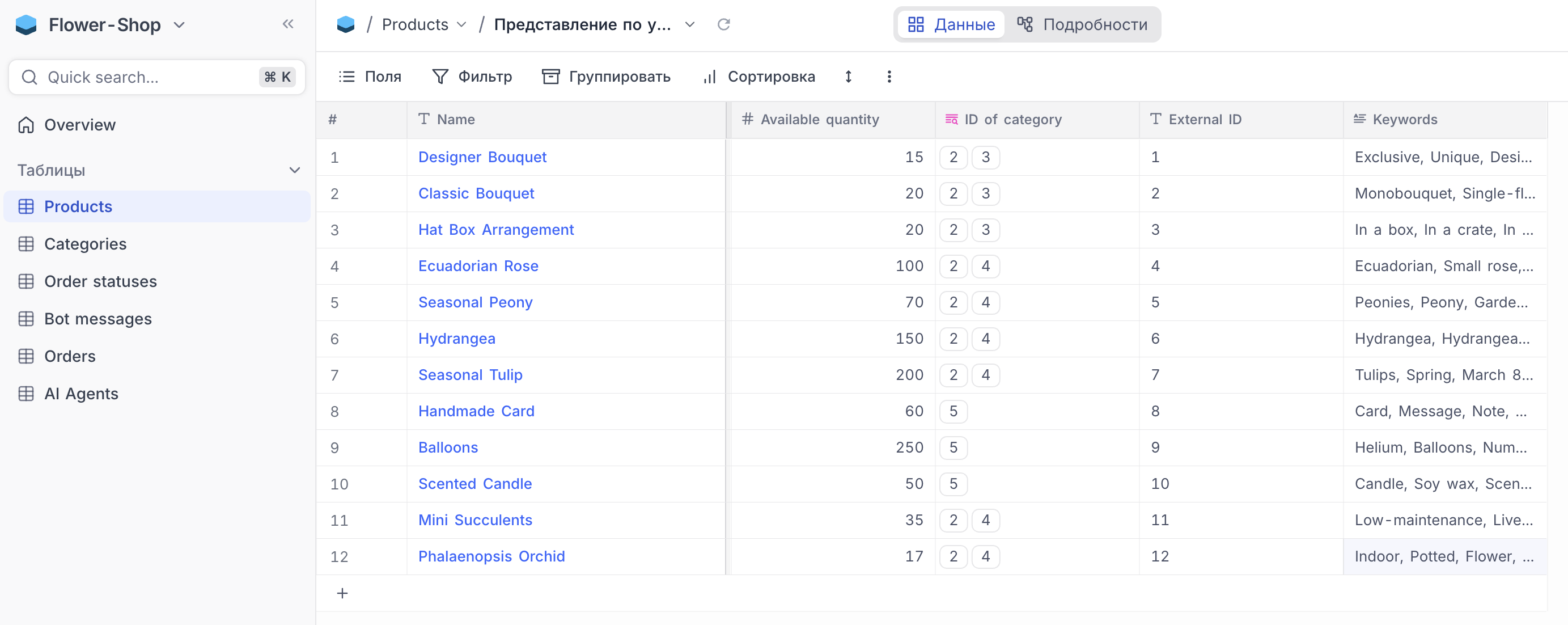
Example keywords for a coffee mug:
- mug, cup, coffee, tea, ceramic, gift, logo, branded
Write Clear Instructions
- Be specific about what the agent should do
- Define boundaries (what NOT to answer)
- Include example phrases
- Specify when to hand off to human support
Example Workflow
Customer writes: “Do you have mugs with a logo?”
- Coordinator receives the message
- Coordinator identifies it as a product inquiry
- Coordinator passes to Product Search agent
- Product Search queries the catalog
- Product Search responds with matching products
Troubleshooting
Agent Doesn’t Reply
- Check that Direct Chat via Bot is enabled
- Verify bot has full administrator rights
- Check your AI token balance
Wrong Agent Replies
- Ensure Coordinator is listed first in the CRM table
- Review agent instructions for overlap
- Clarify routing rules in Coordinator’s instructions
Inaccurate Responses
- Add more keywords to products
- Update agent instructions with better examples
- Consider creating specialized agents for complex topics
Custom Functions
Need a custom setup? Our development team can help create specialized agents for your business.
📩 Contact: @ShopDevTeam
Pricing
AI Agents use tokens for each interaction. Token costs depend on:
- Message length
- Response complexity
- Number of tool calls
💡 Premium stores get 20% off all AI token purchases.
Next Steps
- Bot Setup — Configure your Telegram bot
- Customer Support — Set up support threads
- CRM Guide — Manage your product catalog
- AI Store Builder — Auto-populate your store
- Premium Features — Unlock advanced functionality
Need Help?
Contact our support team: